Prompts

Browse a library of reusable learning prompts built for Articulate Storyline. Fill in only the parts that change, copy the prompt into Claude or ChatGPT, and get a custom learning interaction you can drop into your course.

Ready-made prompts for common Storyline scenarios
Save your own prompts and reuse them anytime
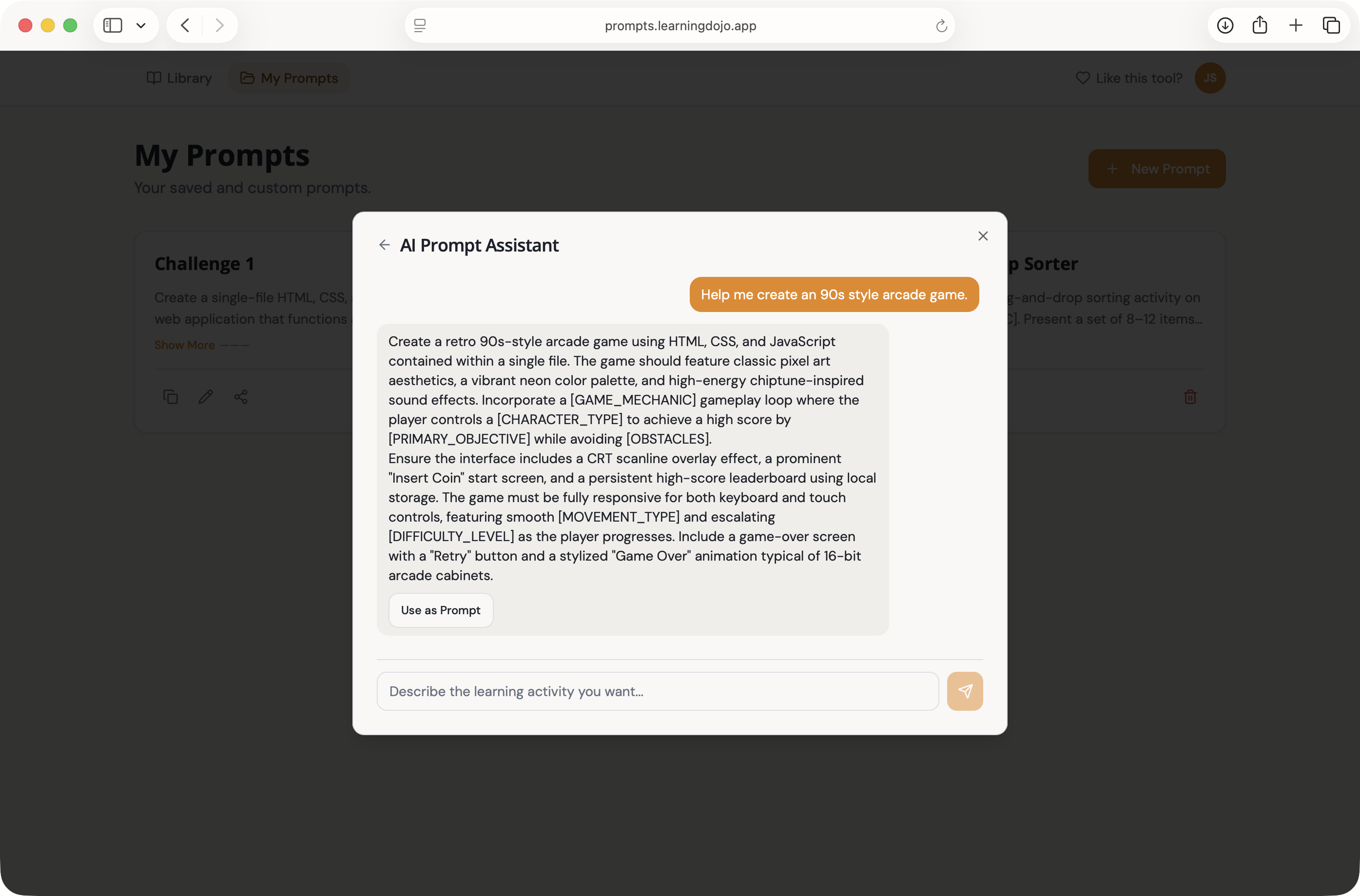
Stuck? Chat with AI to craft new prompts
Prompts app interface

AI Prompts Built for eLearning Developers

Everything you need to go from idea to Storyline-ready output with Claude, ChatGPT, and more.

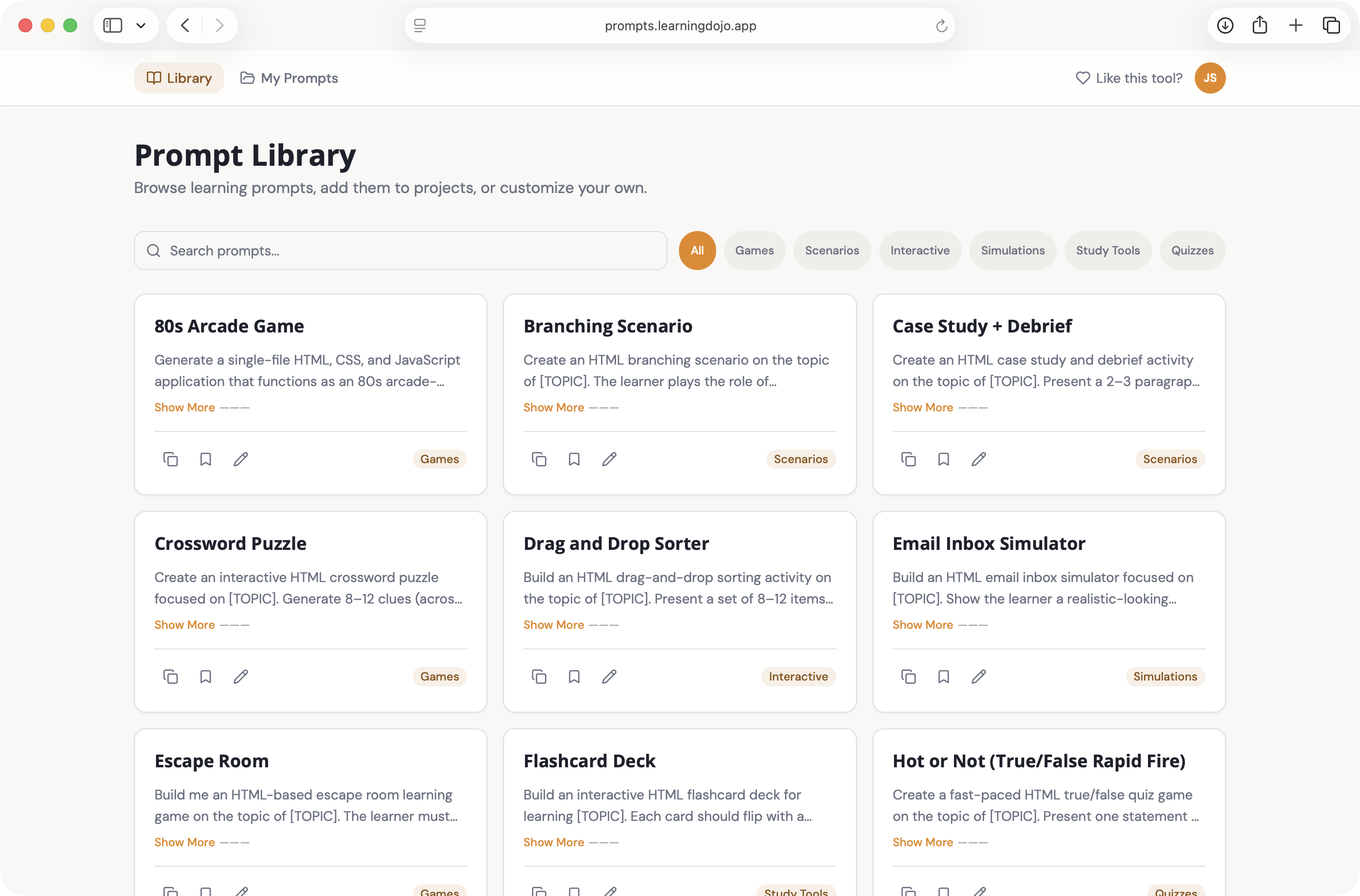
Reusable Prompt Library

Explore curated prompts for interactions, scenarios, assessments, and more—structured so you only replace the variable content.

Copy & Paste to Claude or ChatGPT

Complete the fields that change, copy the full prompt, and paste it into your favorite AI. Use the response to build in Storyline.

Custom Storyline Interactions

Turn prompts into outlines, scripts, branching logic ideas, and other assets you can implement in Articulate Storyline.

Your Own Prompts

Save prompts you create, keep them organized, and reuse them across projects without starting from scratch.

Share With the Community

Share prompts with other learning developers and discover what others are using to speed up their builds.

AI Chat When You're Stuck

Not sure how to phrase a prompt? Chat with the built-in AI to refine ideas and generate custom learning prompts on the fly.

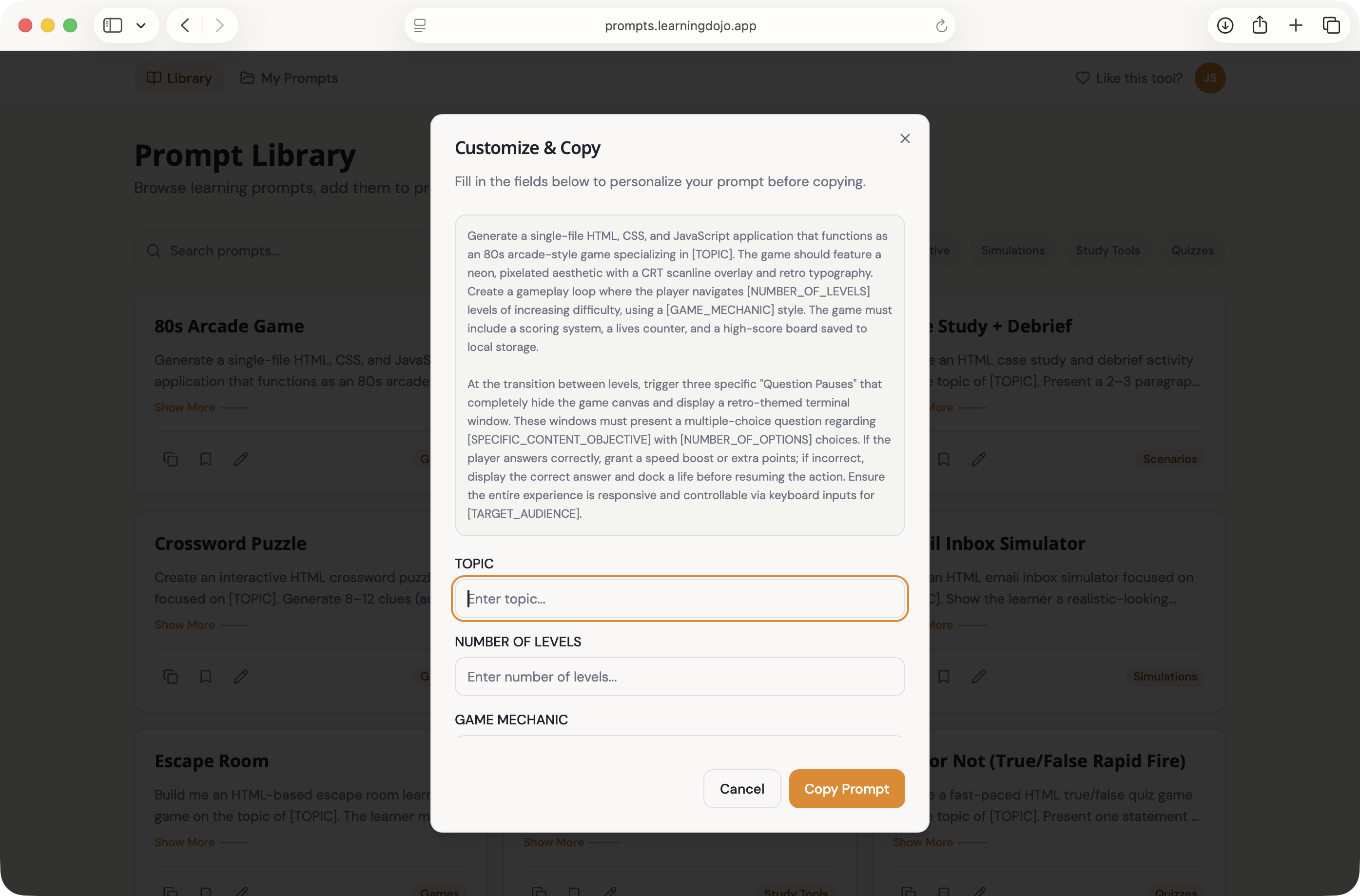
From Prompt to AI to Rise Code Block

Each prompt is designed for eLearning workflows: clear placeholders, consistent structure, and outputs a prompt for AI that builds you custom code blocks for Rise.

  • Variable fields for topic, audience, and tone
  • Works with major any AI tool
  • Faster iteration on complex interactions
Prompt to Storyline workflow

Save Your Favorite Prompts

Save your favorite prompts or create your own prompts and save them for reuse.

  • Save and tag your own prompts
  • Reuse winning prompts across different interactions
  • Share your prompts with the community
Prompt library and saved prompts

Three Simple Steps

Start creating with AI-assisted prompts in minutes.

1

Pick or Create a Prompt

Choose from the library or build your own. Use AI chat if you need help wording it.

2

Fill & Copy

Enter the content that changes for your course, then copy the complete prompt.

3

Paste in AI & Build in Storyline

Paste into Claude or ChatGPT, refine the output, and implement it in Articulate Storyline.

Ready to Speed Up Your Storyline Builds?

Open Prompts, explore the library, and start generating custom learning content with AI.

Get Started